Total Video Player for Mac — Cast Video to TV

AirPlay, Chromecast & DLNA

Dual Subtitles. Up to 10x speed.

Supports WebDAV, SFTP, FTP, NFS, and SMB.

Stream. Cast. Play. Your Videos, Your Way.

⬇️ Free Download Total Video Player for Mac

V3.5.0. Available on the Mac App Store. Works on Apple Silicon & Intel Macs.

Why Choose Total Video Player for Mac?

One Mac app that plays every format, streams from your NAS, and casts to your TV — no codec packs, no conversions, no separate casting utilities.

📺

Cast Mac Video to Any TV

Stream your videos from Mac to the big screen with Apple AirPlay, Chromecast, and DLNA. Watch on Apple TV, Google devices, and DLNA-compatible smart TVs — all three casting protocols are built into one player.

🌐

Play from Network Storage

Browse and play videos directly from WebDAV, SFTP, FTP, NFS and SMB — your NAS, home server, or network drive. No need to copy anything to your Mac before watching.

🏠

Dual Subtitles for Bilingual Viewing

Display two subtitle tracks simultaneously — ideal for language learning, bilingual movies, or comparing translations. Customize font, size, color and style to your liking.

🎬

Play Any Video Format on Mac

MP4, MKV, MOV, AVI, M4V, MPEG, WMV, FLV, WebM, MTS, M2TS, TS and more — all play out of the box. No codec packs to install, no plugins to hunt for, no conversion needed before watching.

🖥️

Smooth 4K UHD Playback

Native Apple Silicon support with hardware-accelerated H.264 and H.265 decoding delivers smooth, responsive 4K UHD playback with lower power consumption and faster startup on modern Macs.

⚡

Play at Your Speed

Watch at up to 10x speed for lectures and tutorials, or slow down for detail. Rotate & mirror video, A-B loop, screenshot capture, audio track selection, playlists, and full-screen playback.

See Total Video Player for Mac in Action

Every key feature of the Mac video player, at a glance.
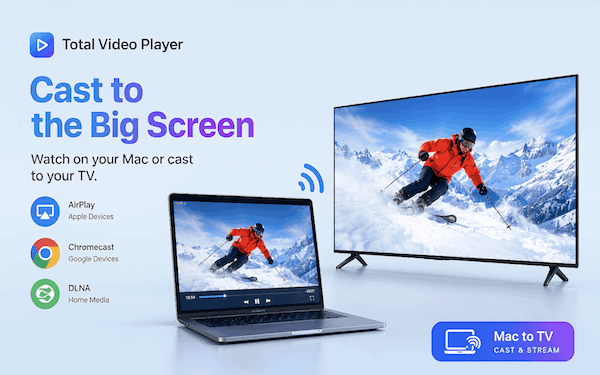
Total Video Player for Mac casting video from Mac to TV via AirPlay, Chromecast and DLNA

Cast Mac Video to TV — AirPlay, Chromecast & DLNA

Take your videos beyond the Mac's screen. Total Video Player for Mac streams to Apple AirPlay-enabled devices and Apple TV, casts to Chromecast and Google devices, and pushes to DLNA-compatible smart TVs and receivers. All three protocols are built in — pick your TV from the list and start watching on the big screen, without screen mirroring, browser tricks or extra hardware.

  • Apple AirPlay — cast compatible videos to AirPlay-enabled devices and Apple TV
  • Chromecast — cast local video files to compatible Chromecast devices
  • DLNA — cast and stream media to DLNA devices and smart TVs
  • Enjoy compatible content on supported TVs and other devices over Wi-Fi
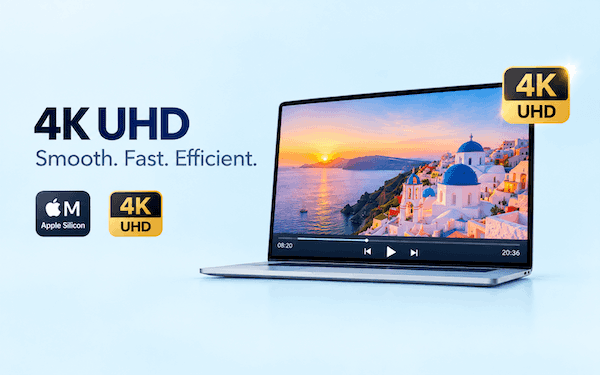
Total Video Player for Mac playing 4K UHD video smoothly on Apple Silicon MacBook

Smooth 4K UHD Player for Mac

Total Video Player for Mac is built for high-resolution playback. With native Apple Silicon support and hardware-accelerated H.264/H.265 (HEVC) decoding, your 4K UHD movies play smoothly and responsively — even large, high-bitrate files. Hardware decoding also means lower power consumption and longer battery life on MacBook Air and MacBook Pro, plus noticeably faster app startup.

  • Native Apple Silicon (M1/M2/M3/M4) performance
  • Hardware-accelerated H.264 and H.265 decoding
  • Smooth, stutter-free 4K UHD playback
  • Retina display support for crisp, sharp images
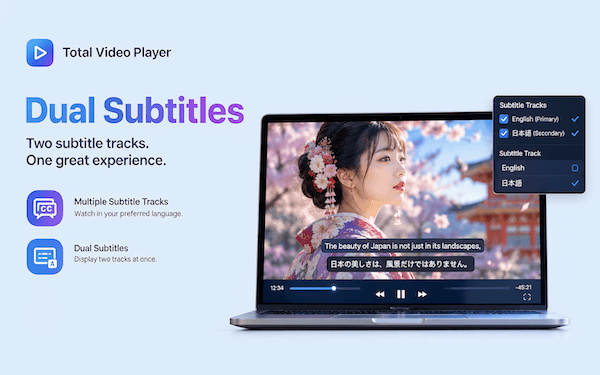
Total Video Player for Mac showing dual subtitles in English and Japanese

Dual Subtitles — Two Tracks, One Great Experience

Display two subtitle tracks simultaneously while watching your videos. Watch English primary with Japanese secondary, or any language pairing you like. It is perfect for language learning, bilingual viewing, or comparing subtitles in different languages — a feature most Mac players simply do not offer.

  • Two subtitle tracks displayed at the same time
  • Multiple subtitle track selection
  • Switch between embedded and external subtitles
  • Ideal for language learners and bilingual households
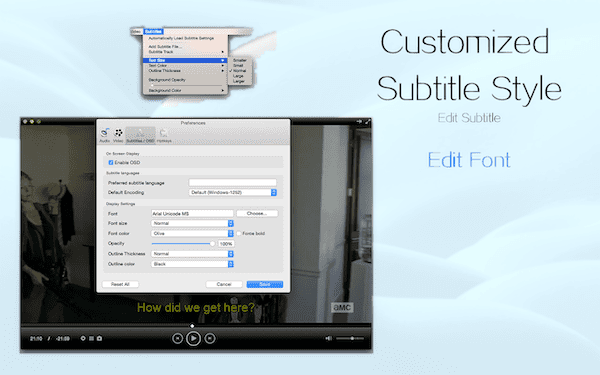
Total Video Player for Mac customized subtitle style with font editing

Customized Subtitle Style & Font Editing

Subtitles should look the way you want them. Choose your font, size, color, outline thickness and background opacity until the text is exactly right for your screen and your eyes. Fine-tune subtitle encoding for international files, and enjoy readable, beautiful subtitles on every video you play on your Mac.

  • Custom font, text color, size and outline
  • Adjustable background and position
  • Supports SRT, SSA, ASS and common subtitle formats
  • Default encoding options for multilingual subtitle files
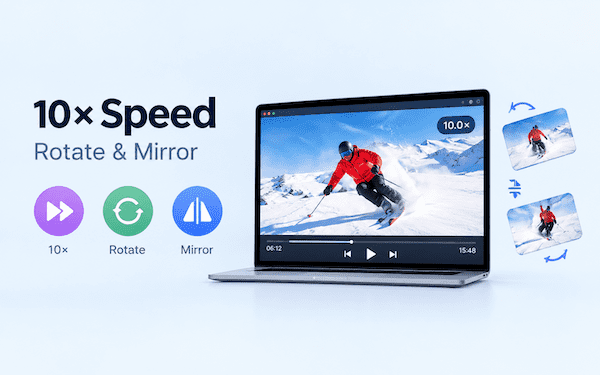
Total Video Player for Mac with 10x speed playback, rotate and mirror video controls

Play at Your Speed — 10x Playback, Rotate & Mirror

Need to get through a three-hour lecture, a recorded meeting, or a long technical tutorial? Crank playback up to 10x speed and skim it in minutes. Need to check a golf swing or a dance move? Slow it right down. Recorded a video in the wrong orientation? Rotate or mirror the picture while watching — no re-encoding, no exporting, instant results.

  • Playback speeds up to 10x — perfect for lectures, courses and meetings
  • Adjust speed freely to match your viewing needs
  • Rotate video playback and mirror/flip horizontally
  • Fix videos recorded in the wrong orientation instantly
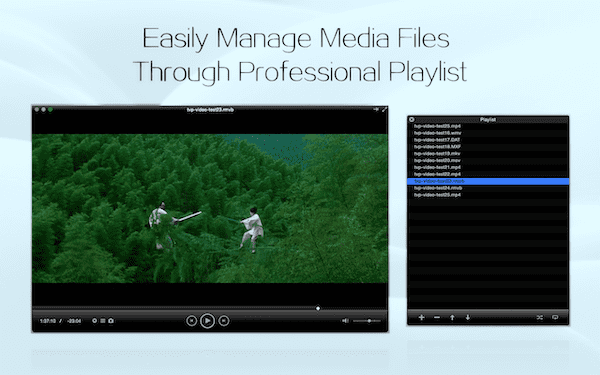
Total Video Player for Mac professional playlist management for media files

Professional Playlist Management

Easily manage your media files through a professional playlist. Queue up a TV series, a folder of lectures, or your entire music library. Add, remove and reorder items directly, then let the playlist play through — perfect for continuous, uninterrupted viewing sessions on your Mac.

  • Add files or entire folders to the playlist
  • Reorder, remove and manage items directly
  • Loop and continuous playback
  • Great for episodic content and long study sessions

Stream from Your Network — NAS, Home Server & More

Total Video Player for Mac brings your local and network media together. Browse folders on your NAS or home server and play supported video and audio files directly — without copying everything to your Mac. Your Mac can even become a DLNA Media Server, sharing its media with compatible devices around your home. Together with casting, this turns TVP into a small home media center: Mac → TV, and Mac → DLNA Media Server → other devices.

WebDAVBrowse & play over WebDAV servers
SFTPSecure SSH file transfer playback
FTPClassic FTP network playback
NFSUnix/Linux network shares
SMBWindows & NAS file sharing
DLNA ServerShare Mac media to DLNA devices

Turn Your Mac into a DLNA Media Server

Share media from your Mac with compatible DLNA devices on your network. Browse and access your Mac's media from supported devices — smart TVs, game consoles, media streamers — and conveniently enjoy your Mac media on other screens and devices around the house.

How to Cast Video from Mac to TV in 3 Steps

From download to big-screen playback in under a minute. No codecs, no configuration, no learning curve.

1

Download from the Mac App Store

Click the "Download for Mac" button on this page to open Total Video Player on the Mac App Store, then install it like any Mac app. It works on Apple Silicon and Intel Macs.

2

Open Any Video — Locally or from Your Network

Drag and drop any video file onto the player: MKV, MP4, AVI, MOV, WMV, FLV, MTS and more play instantly. Or connect to your WebDAV, SFTP, FTP, NFS or SMB network storage and browse your media library straight from the source.

3

Pick Your TV and Cast

Choose your Apple TV or AirPlay-enabled device, Chromecast, or DLNA smart TV from the device list, and the video starts playing on the big screen. Enjoy it with dual subtitles and your favorite playback speed — and manage everything through the professional playlist.

Mac to TV Streaming — Total Video Player vs QuickTime

QuickTime is fine for iPhone recordings, but it cannot cast local MKV or AVI files, play from a NAS, or show two subtitle tracks at once. Here is how Total Video Player for Mac compares.

Feature Total Video Player QuickTime (built-in)
Cast to TV (AirPlay / Chromecast / DLNA) ✓ ✗
Play from WebDAV / SFTP / FTP / NFS / SMB ✓ ✗
DLNA Media Server for other home devices ✓ ✗
Play MKV files on Mac ✓ ✗
Play AVI, WMV, FLV, MTS/M2TS on Mac ✓ ✗
Play HEVC/H.265 4K UHD video ✓ Needs paid extension
Dual subtitle tracks (bilingual viewing) ✓ ✗
Playback speed up to 10x ✓ Limited
Rotate & mirror video while playing ✓ ✗
Playlist management ✓ ✗

Supported Video & Audio Formats on Mac

Total Video Player for Mac plays a wide range of popular video and audio formats — locally, from network storage, and cast to your TV — without requiring you to install additional codecs.

Video Formats Supported on Mac

MP4, MKV (Matroska), MOV, AVI, M4V, MPEG, WMV, FLV, WebM, MTS, M2TS, TS, 3GP, DivX, XviD, H.264/MPEG-4 AVC, H.265/HEVC, VP8/VP9, and many more — including HD, Full HD and 4K UHD files.

Audio Formats Supported on Mac

MP3, AAC, AC3 (Dolby Digital), FLAC, WAV, WMA, OGG, M4A, APE, AIFF, Opus, and many other common audio formats — so the player doubles as a capable music player for your lossless collections.

More Ways to Enjoy Your Videos on Mac

Full-screen playback · Playlist management · Audio track selection · Subtitle track selection · A-B loop · Screenshot capture · Always-on-top player window · Pause, step and rewind · Volume control · Custom audio output · Retina display support · Convenient keyboard shortcuts.

Mac Users' FAQ — Casting, Streaming & Playback

Everything Mac users ask about streaming video from Mac to TV with Total Video Player.

How do I cast video from my Mac to a TV? +
With Total Video Player for Mac, open your video and cast it to the big screen in one click. The app supports Apple AirPlay for AirPlay-enabled devices and Apple TV, Chromecast for Google devices, and DLNA for smart TVs and media receivers — all three protocols are built in, so you can stream from Mac to almost any TV on the same Wi-Fi network.
Can I AirPlay local MKV, AVI or 4K videos from my Mac to Apple TV? +
Yes. Total Video Player for Mac plays MKV, AVI, HEVC/H.265 and other formats that QuickTime cannot open, and it casts to AirPlay-enabled devices and Apple TV directly from the player. There is no need to convert the file first or mirror your entire screen — just open the video, pick your AirPlay device, and start watching.
How do I Chromecast local video files from my Mac? +
Chromecast normally only accepts content from Chrome browser tabs, but Total Video Player for Mac casts local video files — including MKV, AVI, WMV and 4K HEVC — straight to compatible Chromecast devices from the player itself. Open your file, choose your Chromecast from the device list, and the video plays on your TV.
Can I play videos directly from my NAS or network storage? +
Yes. Total Video Player for Mac browses and plays media directly over WebDAV, SFTP, FTP, NFS and SMB — without copying files to your Mac first. Point it at your NAS, home server or network drive, browse folders, and stream supported video and audio files straight from network storage.
Can my Mac work as a DLNA media server? +
Yes. Total Video Player for Mac can turn your Mac into a DLNA Media Server. Your Mac's media library becomes available to compatible DLNA devices on the same network — smart TVs, game consoles and media streamers can browse and play the media your Mac shares.
Does Total Video Player support 4K UHD playback on Apple Silicon Macs? +
Yes. Total Video Player for Mac runs natively on Apple Silicon and uses hardware-accelerated H.264 and H.265 (HEVC) decoding through Apple's VideoToolbox. This delivers smooth, responsive 4K UHD playback with lower power consumption on M-series MacBook Air, MacBook Pro, iMac, Mac mini and Mac Studio, and it works on Intel Macs too.
What are dual subtitles and who needs them? +
Dual subtitles display two subtitle tracks at the same time — for example English primary with Japanese secondary. This is perfect for language learning, bilingual viewing, or comparing subtitles in different languages. You can also customize subtitle font, size, color, outline and background to match your taste.
Can I speed up or slow down video playback on Mac? +
Yes. Total Video Player for Mac supports playback speeds of up to 10x, which is ideal for lectures, courses, presentations, meetings, long videos and technical tutorials. You can also slow playback down for detailed viewing, and rotate or mirror the video at any time.

Play Locally. Stream from Your Network. Cast to the Big Screen.

Download Total Video Player for Mac and start enjoying 4K UHD movies, MKV videos, NAS streaming and TV casting with AirPlay, Chromecast and DLNA today.

⬇️ Free Download Total Video Player for Mac