Burn popular video formats including MP4, MKV, FLV, AVI to DVD on your Mac. Create personalized DVD movies and ISO files. Add subtitles, trim, crop, merge. Optimized for Intel Mac and Apple Silicon M1/M2/M3 Macs. Buy now, use immediately.
The most powerful Mac DVD burner — create personalized DVDs and ISO files on macOS effortlessly.
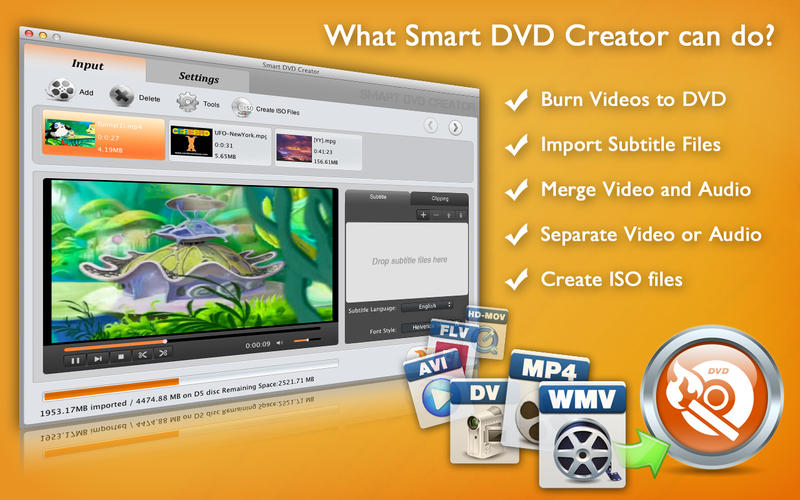
Smart DVD Creator for Mac supports burning popular video formats including MP4, MKV, FLV, AVI, MPEG, DivX, DV, and WMV to DVD. Just drag, drop, and burn on your Mac — the intuitive Mac-style interface makes it effortless.
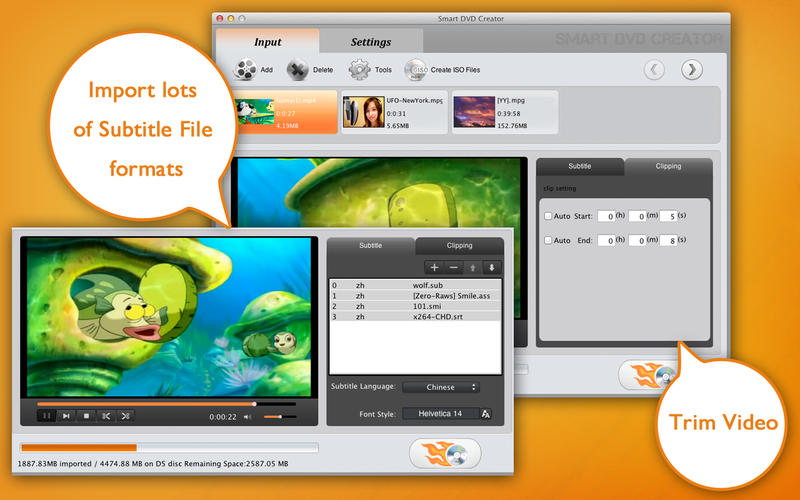
Import multiple subtitle files in SRT, SUB, ASS, SMI, and other formats. Add subtitles to your videos before burning them to DVD on Mac. Customize subtitle appearance for the perfect viewing experience on your Mac-created DVD.
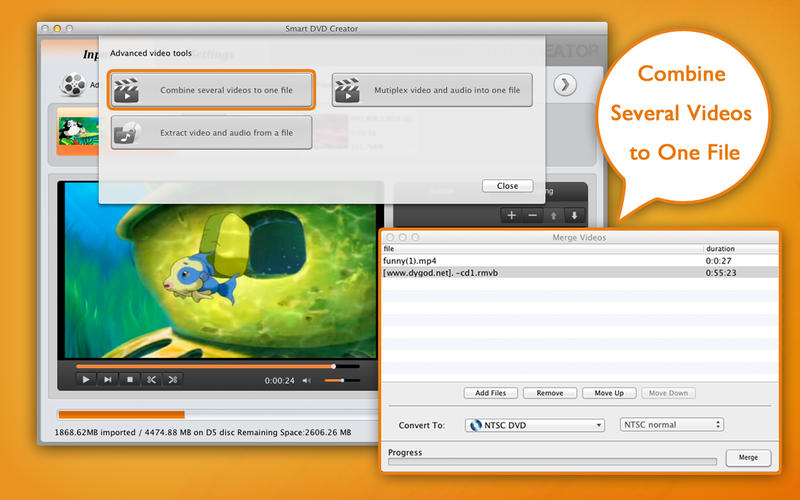
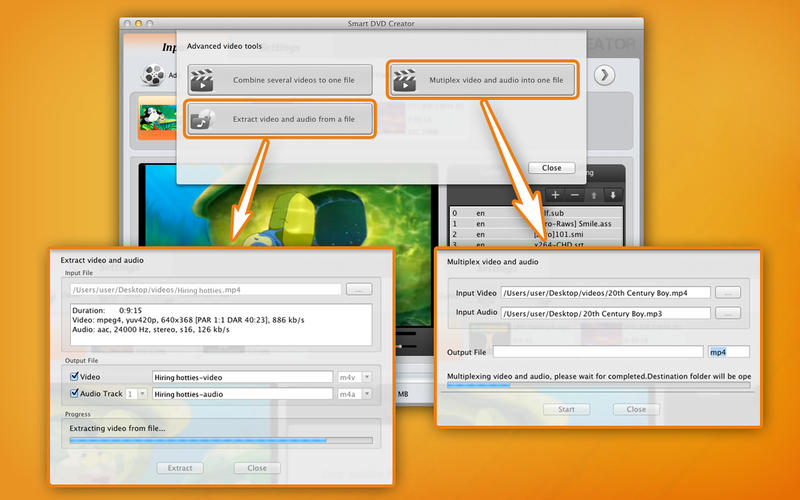
Edit your videos before burning to DVD on Mac. Trim unwanted parts, crop the frame, merge multiple clips into one — Smart DVD Creator for Mac includes built-in video editing tools so you don't need separate software.
Don't want to burn directly to disc? Smart DVD Creator for Mac can generate ISO files instead. Save your DVD project as an ISO file on Mac and burn it later using any disc burning software on macOS.
Preview exactly what your DVD will look like before burning with the built-in DVD player tool on Mac. See how your menu, chapters, and subtitles appear — make changes and preview again until it's perfect on macOS.
Auto-import DV, AVCHD, MOD, and TOD videos from your digital camera, camcorder, or mobile phone directly on Mac. Smart DVD Creator detects connected devices and transfers video clips for easy DVD burning on macOS.
See how easy it is to burn DVDs on Mac with Smart DVD Creator.
Smart DVD Creator for Mac — Intuitive Mac-style interface for burning DVDs on macOS
Import subtitles in SRT, SUB, ASS, SMI formats before burning DVD on Mac
Merge multiple video clips into one DVD movie on Mac
Trim, crop, and edit videos before burning to DVD on Mac
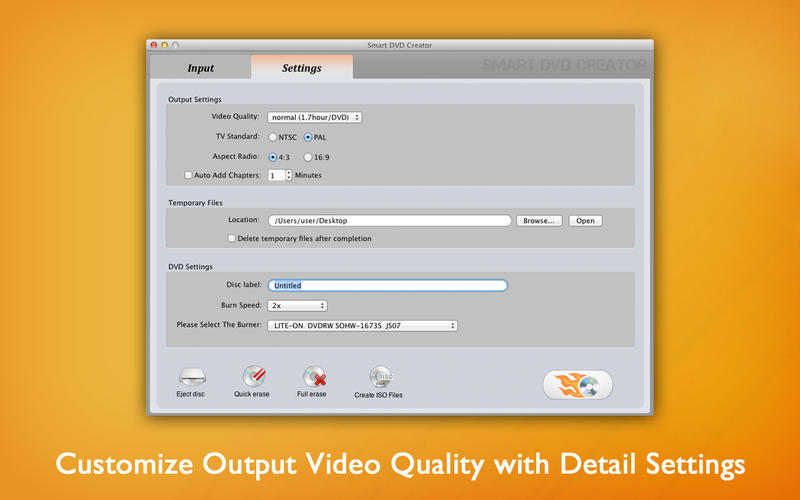
Customize DVD output quality, NTSC/PAL settings, and disc format on Mac
Burn any video to DVD on Mac in three simple steps. No technical knowledge required.
Drag and drop your video files into Smart DVD Creator on your Mac. Supports MP4, MKV, FLV, AVI, MPEG, DivX, DV, WMV, and HD video formats (AVCHD, HD-MOV, HD-MKV, HD-WMV). You can also auto-import from connected camcorders on Mac.
Trim, crop, and merge video clips on Mac. Import subtitle files (SRT, SUB, ASS, SMI). Choose NTSC or PAL format. Customize output video quality — even burn 8 hours of video onto one DVD5 disc. Preview your DVD on Mac before burning.
Click Burn to create your DVD on Mac. Smart DVD Creator burns at ultra-fast speed without loss of DVD quality. Or generate an ISO file for later burning. Compatible with DVD-5, DVD-9, DVD-R, DVD+R, DVD-RW, DVD+RW, and dual-layer discs on macOS.
Smart DVD Creator for Mac supports a wide range of video and disc formats.
MP4, MKV, FLV, AVI, MPEG, DivX, DV, WMV, AVCHD, HD-MOV, HD-MKV, HD-WMV, M2TS, MTS, MOD, TOD, and more. Smart DVD Creator for Mac handles virtually every popular video format for DVD burning on macOS.
SRT (.srt), SUB (.sub), ASS (.ass), SMI (.smi), and more. Import multiple subtitle files and burn them into your DVD movie on Mac for multilingual playback.
DVD-5, DVD-9, DVD-R, DVD+R, DVD-R DL (dual layer), DVD+R DL (dual layer), DVD-RW, DVD+RW. Smart DVD Creator for Mac is compatible with all major DVD disc formats for maximum flexibility on macOS.
Burn directly to DVD disc or create ISO file for later burning. Choose NTSC or PAL video standard. Customize output video quality — burn up to 8 hours of video onto one DVD5 disc on Mac.
Everything Mac users need to know about burning DVDs on macOS.
Join thousands of Mac users who trust Smart DVD Creator for burning MP4, MKV, AVI to DVD on macOS. Buy now, use immediately on your Mac.